How to find a file when you can't remember its name
The short answer
Search for what's inside the file, not its name. Pick one word you're sure is in it, like a name, a street or an amount, then search with that word, the kind of file and roughly when you used it.
Write down what you remember
- A word or phrase that's in it: a person, a company, an address, a number.
- What kind of file it is: a PDF, a spreadsheet, a photo, a screenshot.
- Roughly when you last opened it: last week, in March, last year.
- Where it came from. Email attachments usually land in Downloads, and phone photos in Pictures.
Look in the usual places first
- Recents in the Finder sidebar on a Mac, or Home (Quick access on Windows 10) in File Explorer.
- Your Downloads folder and your Desktop.
- The Trash on a Mac, or the Recycle Bin on Windows.
- The email or chat it came in. It may never have been saved to your computer.
On a Mac
- Press ⌘ Space to open Spotlight and type the word you remember. Spotlight looks inside documents, not only at their names.
- For more results, open a Finder window, press ⌘ F and type the word. Click This Mac to search everywhere.
- To narrow it down, click + under the search field and add a rule such as Kind is PDF or Last opened date is within last 7 days.
Still nothing? See why Spotlight misses files.
On Windows
- Open File Explorer, click This PC (or the folder it is probably in) and type in the search box at the top right.
- To search only inside files, put
content:before your words, for examplecontent:"14 Elm". - Add a filter such as
kind:documentordatemodified:last week.
Nothing in a folder you know is right? Windows may only be searching file names there: here is the fix.
When you only remember what it was about
Built-in search finds a file most easily when you know the exact words. If you only remember what the file was about, or the words are in a photo, a screenshot or a scanned page, describe it instead.
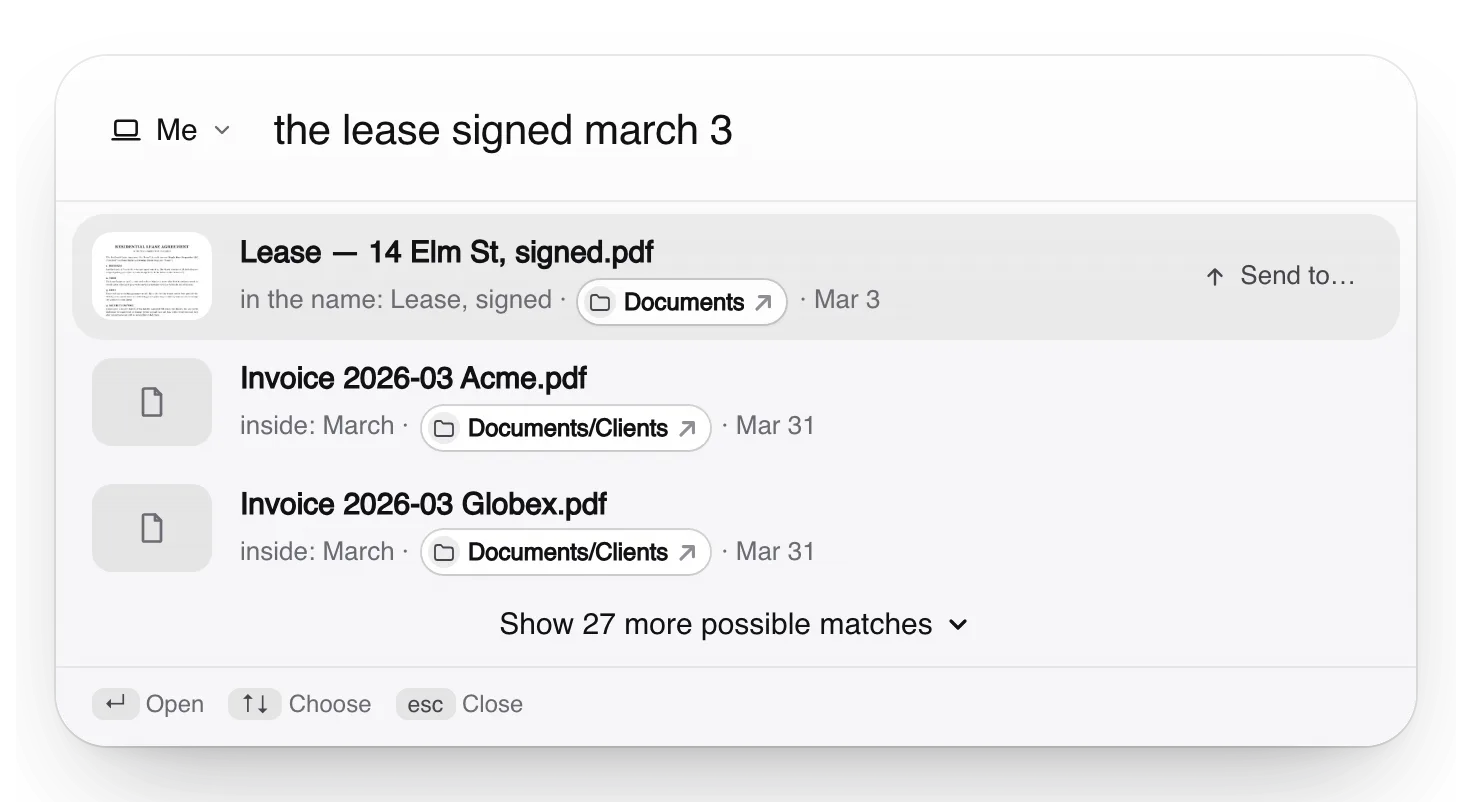
In Truffle you type it the way you'd ask a person, like “the lease signed march 3”. It looks inside documents, reads the words in photos and screenshots, and shows why each file matched.
Free. Your files are searched on your own computer, not uploaded to us.
Apple, Mac, macOS, Finder and Spotlight are trademarks of Apple Inc., registered in the U.S. and other countries and regions. Windows and File Explorer are trademarks of the Microsoft group of companies. PageDuo is not affiliated with, endorsed or sponsored by Apple or Microsoft.