How to search inside files on a Mac
The short answer
Spotlight and Finder both search the text inside your files, not just their names. Press ⌘ Space and type a phrase from the file. For more control, search in Finder.
With Spotlight
- Press ⌘ Space.
- Type a few words that are inside the file, like
signed March 3. - Press ⌘ Return to show the highlighted file in Finder instead of opening it.
With Finder, for more control
- Open a Finder window and press ⌘ F.
- Click This Mac next to Search: to look everywhere, not only in the current folder.
- Type your words. Finder looks at both names and contents. To match only names, choose Name matches from the suggestions under the field.
- To match only what is inside: click +, open the first pop-up menu, choose Other…, select Contents, then type your words in the new rule.
- Click Save to keep the search as a Smart Folder that updates by itself.
From Terminal
mdfind asks the same index Spotlight uses. Put the words in quotes; it lists the files that contain every one of them:
mdfind "signed March 3"
mdfind -onlyin ~/Documents "invoice 2026"
mdfind -name "lease"
The last line searches names only.
If nothing shows up
- Open System Settings → Spotlight (on older versions: Siri & Spotlight) → Search Privacy (or Spotlight Privacy). If the folder or drive is listed there, Spotlight skips it. Select it and click –.
- For an external drive, type
mdutil -s /Volumes/NAMEin Terminal, using the drive’s name. If indexing is off, turn it on withsudo mdutil -i on /Volumes/NAME.
Still missing? Rebuild the Spotlight index.
Words in photos and screenshots
When the words you remember are only in a photo or a screenshot, try Truffle. It reads the words in pictures, sees what's in photos and videos, and does all of it on your Mac. It doesn't read scanned PDFs on a Mac yet.
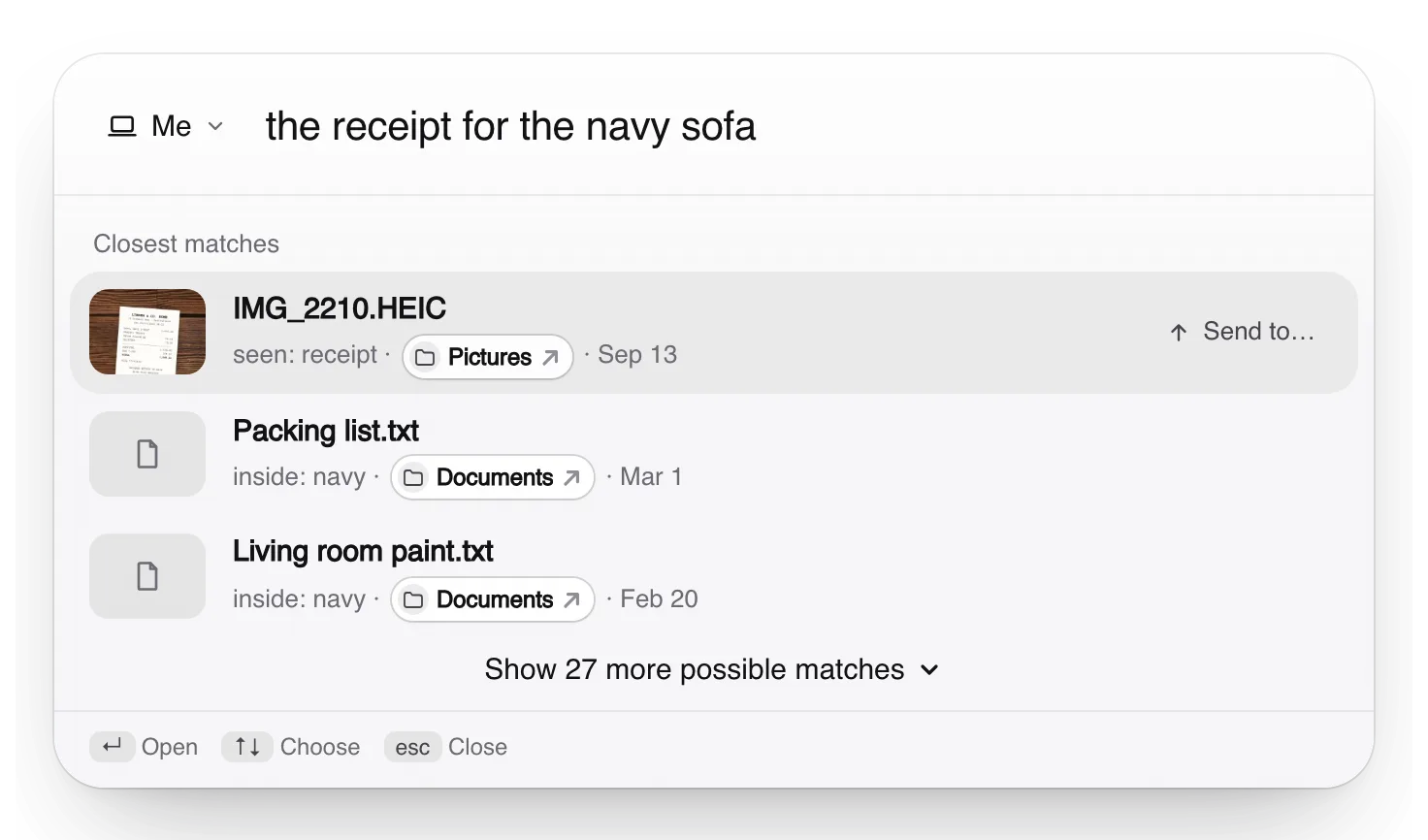
Free. Your files are searched on your own computer, not uploaded to us.
Apple, Mac, macOS, Finder and Spotlight are trademarks of Apple Inc., registered in the U.S. and other countries and regions. PageDuo is not affiliated with, endorsed or sponsored by Apple.