How to find a client's invoice, receipt or signed contract fast
The short answer
Search for something only that document would say: the client's name with an amount, an invoice number, or the month it was signed. Then narrow by kind (PDF) and date. A receipt that is a photo or a scan needs its words recognised before any search can find them.
Search for what only that file says
- An invoice: the invoice number, or the client with the amount, like
Acme 1,250. - A contract: the client with signed and the month.
- A receipt: the shop and the amount, or the item.
On a Mac
- Press ⌘ Space and type, for example,
kind:pdf Acme invoice. - Keep a Smart Folder per client: in Finder press ⌘ F, add Contents contains the client name, and click Save.
On Windows
- In File Explorer, type
content:"Acme" ext:.pdfin the folder you keep client files in. - Add
datemodified:this yearor a month to narrow it down.
Receipts in photos, and files a coworker needs
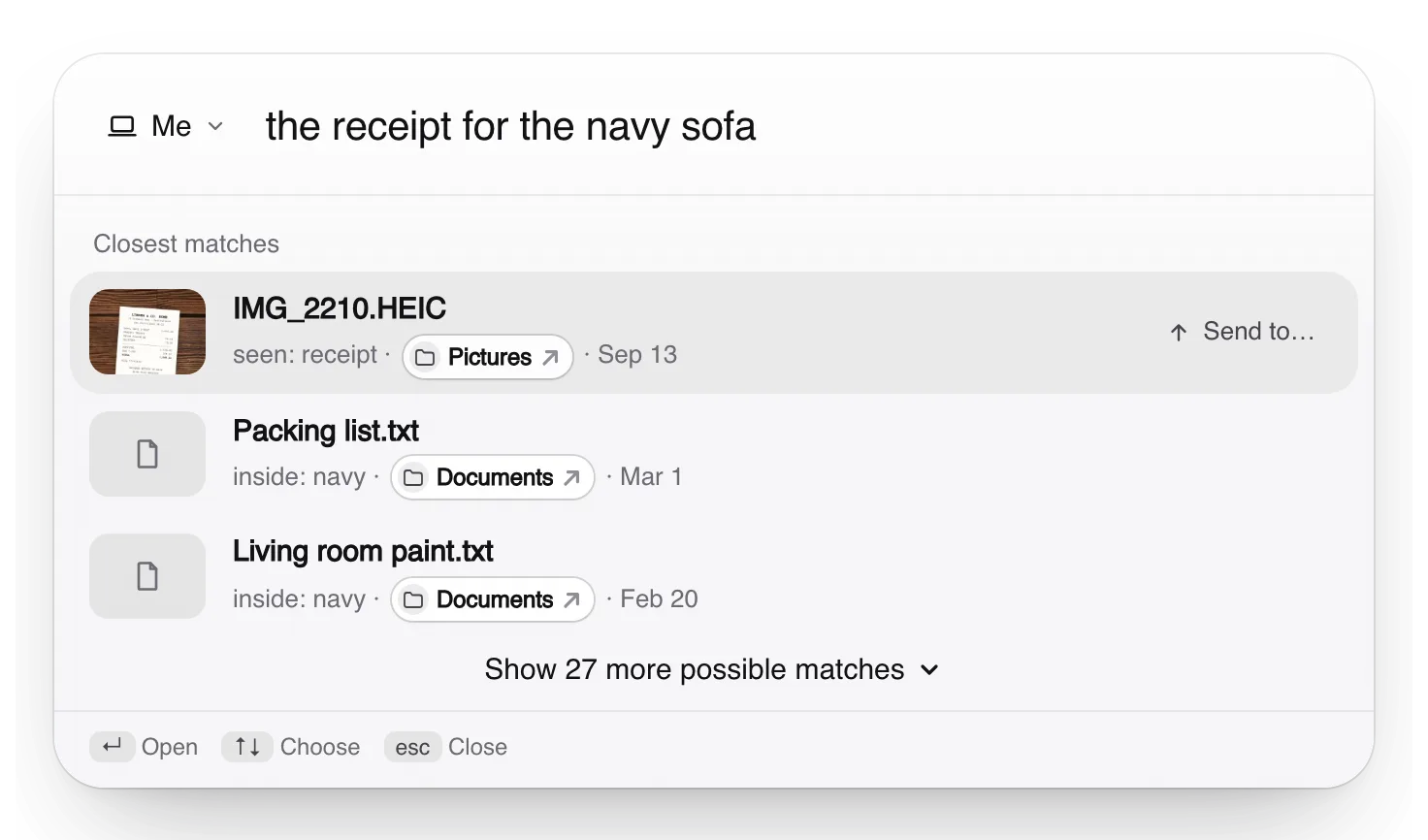
Truffle reads the words in receipt photos on your own computer, so “the receipt for the navy sofa” finds a photo that says “sofa, navy”. It shows why each file matched, so you can check before you open it.
When a coworker asks for a client file, it is sent only when you tap Send. Files it recognises as holding tax, bank or ID numbers are never sent automatically, even from a folder you allowed.
Free. Your files are searched on your own computer, not uploaded to us.
Apple, Mac, macOS, Finder and Spotlight are trademarks of Apple Inc., registered in the U.S. and other countries and regions. Windows and File Explorer are trademarks of the Microsoft group of companies. PageDuo is not affiliated with, endorsed or sponsored by Apple or Microsoft.